Records
Contacts
Manage and organize individual relationships within your B2B CRM platform.
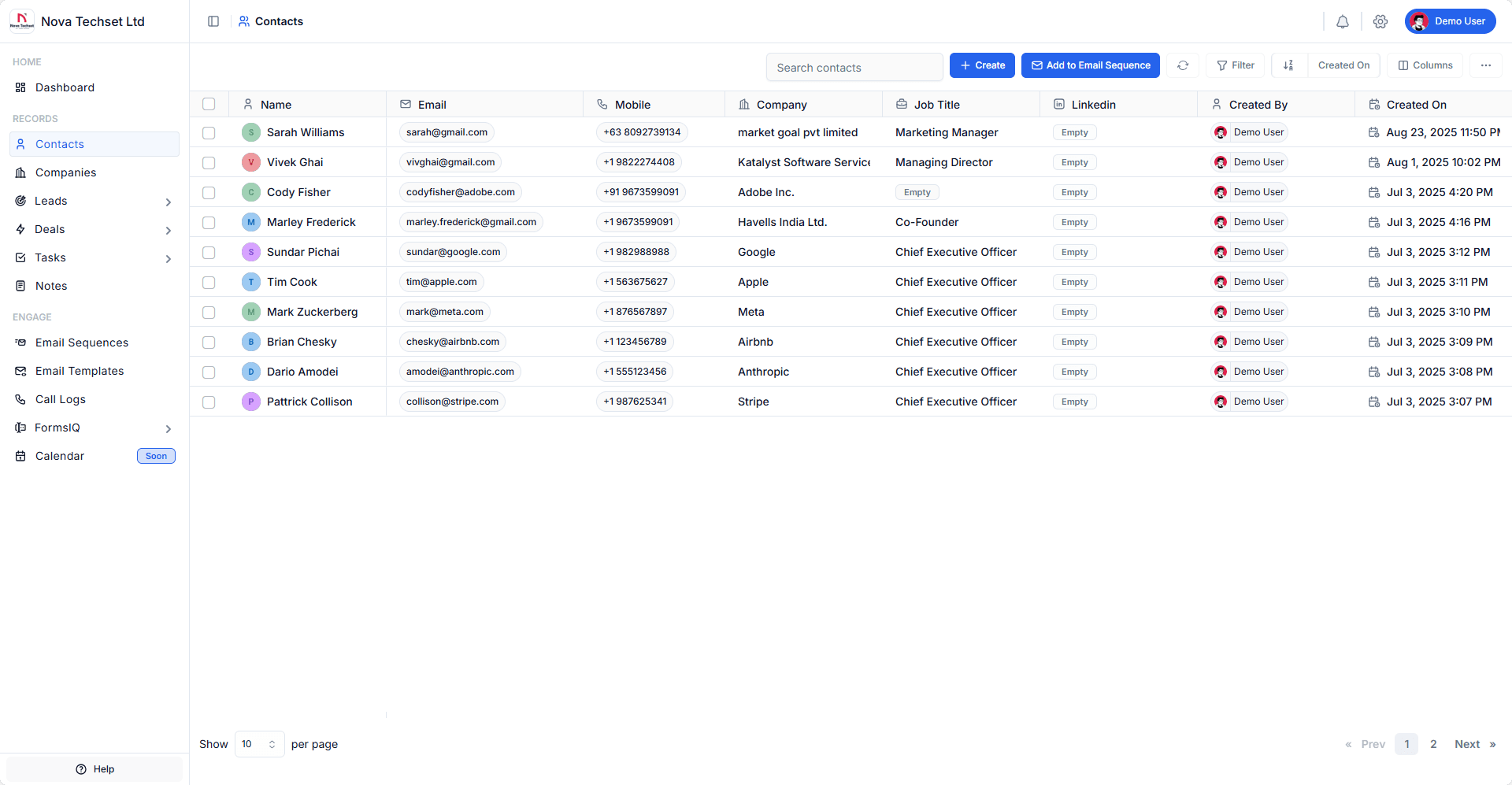
The Contacts Module allows you to manage people and individual relationships within your CRM.
Contacts are usually associated with Leads, Companies, and Deals, enabling you to track every interaction and build strong relationships with prospects and customers.
Key Features
-
Centralized Database
Store and manage all your contacts in one place. -
Multi-Source Import
Add contacts manually or import via CSV/Excel.
-
Activity Tracking
View a complete interaction history: emails, calls, meetings, and notes. -
Segmentation
Organize contacts using tags, filters, and custom fields. -
Associations
Link contacts to Companies, Leads, and Deals for better context.
Example: Adding a New Contact
- Log in to your B2B CRM account.
- Navigate to Contacts section from the sidebar.
- Click on Create button.
- Enter details such as First Name, Last Name, Email, and Phone Number.
- Optionally:
- Link the contact to a Company.
- Click Create button.
- The contact will be created and you will be redirected to the contact details page.
Best Practices
- Always link contacts to their respective companies for better organization.
- Use tags (e.g., "Decision Maker", "Influencer", "Prospect") to identify roles in the buying process.
- Regularly update and clean your contact database to maintain accuracy.
- Add contacts to Email Sequences to nurture relationships over time.
Related Modules
- Leads – Capture and qualify prospects.
- Companies – Organize contacts under organizations.
- Deals – Track revenue opportunities linked with contacts.
- Email Sequences – Automate outreach campaigns for contacts.